Group
Canvas
A real-time collaborative note-taking experience built into GoodNotes
My Role
Product Designer
UX Flows
Interaction design
Context
Uc Berkeley designathon
Developed independently
Concept exploration
Tools
Figma
Figjam
Google Forms
Figma Make
Research
20+ student surveys
5 educator surveys
Summary
After placing 3rd at a UC Berkeley designathon sponsored by GoodNotes, I continued developing this concept independently—exploring how real-time collaboration could live directly inside the note-taking experience.
Introduction
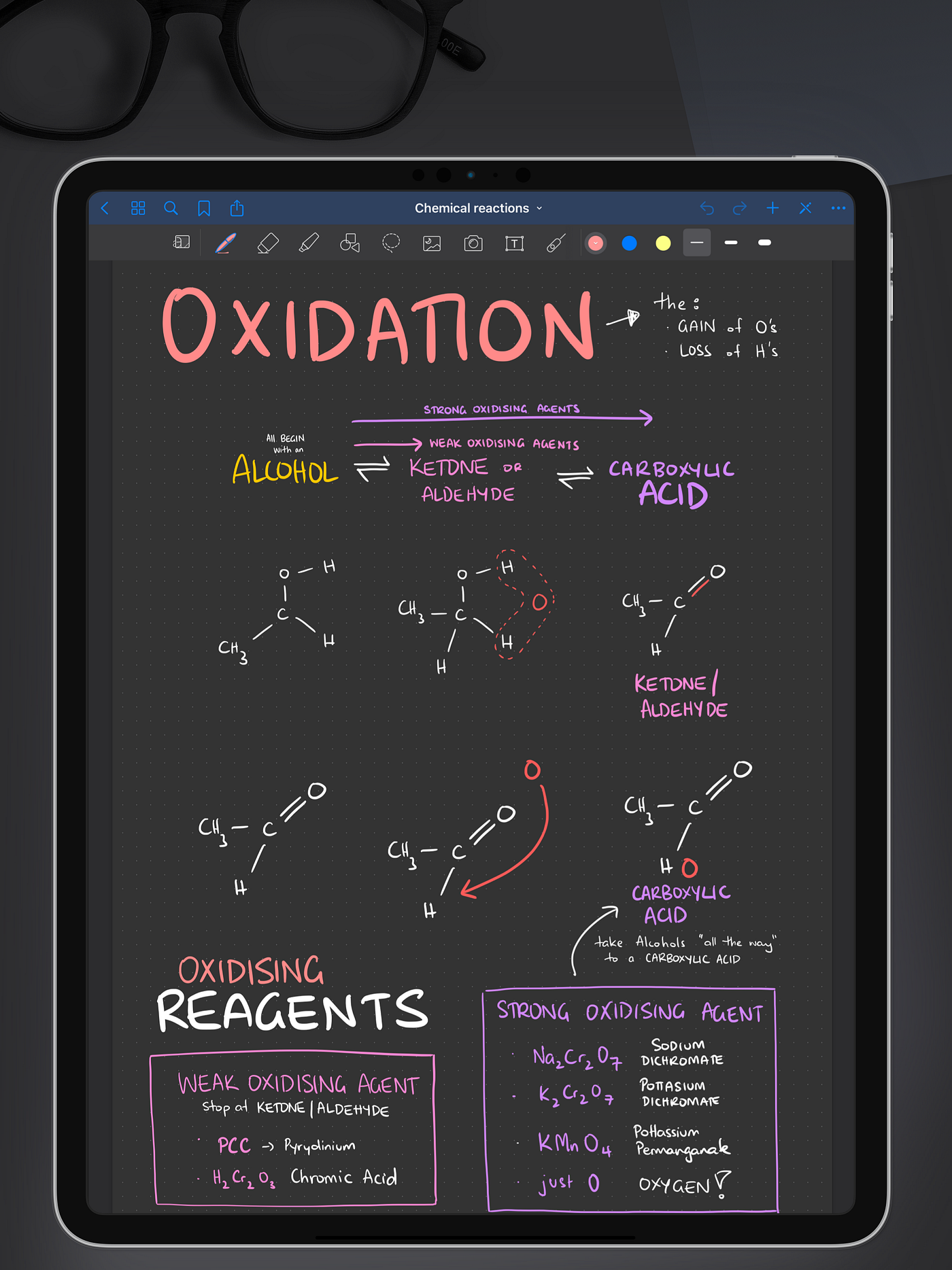
GoodNotes is a Digital Note Taking App Used by Students
GoodNotes excels at individual note-taking, but when students need to collaborate during class, they're forced to leave their notes and switch to separate tools—Google Docs for synthesis, messaging apps for coordination, all while trying to maintain their personal work.
Goal
What if collaboration happened directly inside GoodNotes?
This concept focuses on real-time, in-class collaboration during breakout sessions—whether students are working together in person or joining remotely during hybrid learning.
Problem
In-Class Group Work Requires Competing Demands
In-class group work requires students to:
Think independently
Coordinate with peers
Contribute visibly
Synthesize ideas quickly
Most digital tools aren't designed for this reality.
How Students Collaborate Today
During a 45-min breakout:

iPad - GoodNotes
"Personal notes/work"
Problem: Work stays isolated, doesn't integrate with group
(constant switching)

Laptop - Google Doc
“Group synthesis and editing
Problem: Clutter, unclear ownership, edit collisions
(constant switching)

Verbal Discussion
“Talking while managing screens”
Problem: Ideas lost, focus split between talking & screens
(constant switching)
Results

Too many context switches
Personal work disconnected from group
Can't see individual contributions
Insight
As a result, collaboration often feels uneven and inefficient — even when students want to participate.
Research
20+ Students
surveyed across lecture and discussion classes
5 Educators
surveyed across lecture and discussion classes
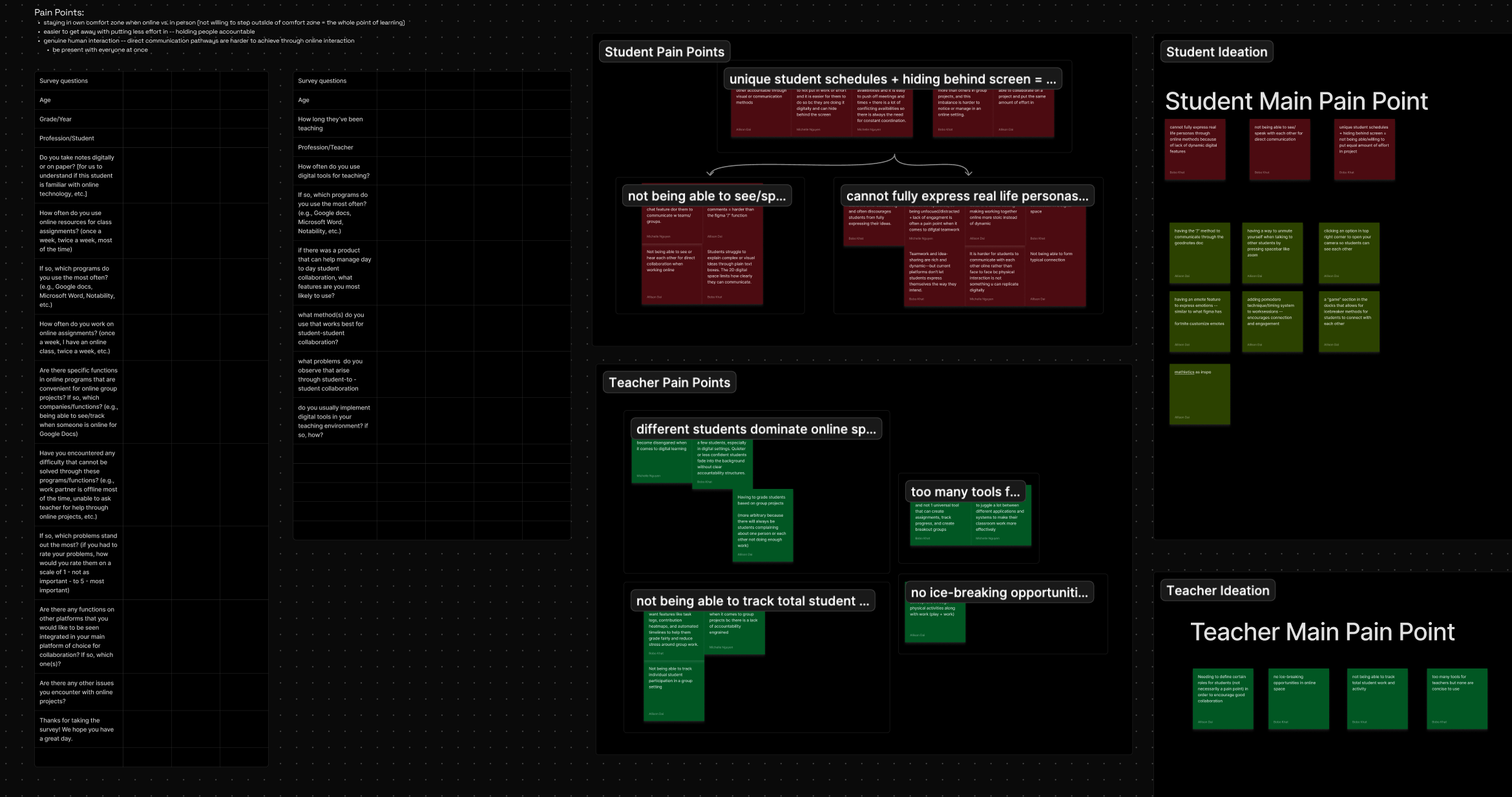
Affinity Mapping
Synthesis of research findings into key insights
Key Insights

Collaboration is fragmented
Students frequently switch between note apps, shared docs, and chat tools during a single class session.

One shared page doesn't scale
Groups larger than 3–4 struggle with clutter, edit collisions, and unclear ownership.

Independent thinking still matters
Students prefer to work through ideas privately before contributing to shared space.

Visibility changes behavior — but adds pressure
Seeing progress encourages participation, but constant visibility increases anxiety.
"I like working things out on my own first. Once it's on the main page, it feels permanent."
— Student participant
“There are too many tools that i have to juggle with if i want to create , track , and grade work”
— Educator participant
Design Process
Initial Thought
I killed my team’s Designathon idea
Our designathon concept placed 3rd with a student archetype system — roles and personalities that shaped how students collaborated.
Why did i kill my darling?
When I continued the project independently, I pressure-tested that direction and realized archetypes solved for identity, not workflow. The real friction was structural: too many tools, no shared space, no synthesis path.
Design Process
Reframed Insight
Rather than designing systems to manage student behavior, I focused on collaboration mechanics:
- How students enter a session
- How they work independently
- How they coordinate
- How they synthesize ideas
Intentional Scope
Real-time, in-class collaboration
Student-to-student coordination
Lightweight structure over enforcement
Design Process
Business Insight
This kept the concept aligned with GoodNotes' canvas-first identity and avoided over-engineering.
Design Process
Constraints
What I chose not to solve
Some findings — like the lack of in-person energy, no ice-breaking opportunities, and the desire for casual chat — reflect social and behavioral dynamics that a tool can't fully address.
This concept focuses on the structural problems: fragmented tools, unclear contributions, and chaotic synthesis.
Feature Prioritization

Core Experience
Individual work tabs
Shared synthesis canvas

Supporting features:
Presence indicators
Contextual comments
Focus timer with tasks

Optional Enhancement
Contribution visibility toggle
This ensures the foundation is solid before adding accountability layers.
Final Solution
Group Canvas
Group Canvas is a live, in-class collaborative note experience designed around presence, structure, and synthesis, all within the GoodNotes canvas.
Students accept a Group Canvas invite and land on the shared workspace.
Context
They immediately see their group members and the main canvas. This establishes context from the start.
The group sets a timer and assigns tasks with clear ownership.
Context
Self-pacing was considered but 50-minute class windows mean groups need structure to stay on track. They can set duration, add tasks, assign to individuals or the group, then start.
Each student works in their own tab — visible but protected from others editing.
Context
Presence indicators show who's active (green = online, yellow = idle).
Research insight: Students prefer working through ideas privately before sharing, while maintaining group awareness.
Students use comments to coordinate without interrupting each other's flow.
Context
Comments are anchored to specific work—on tabs or the main canvas—keeping coordination contextual rather than scattered in chat threads.
All members can see and resolve comments once addressed.
Students complete tasks and move contributions to the shared canvas.
Context
The flow: mark complete → select key content → add to canvas. Contributions appear in real-time as others finish.
Research insight: "One shared page gets chaotic past 3-4 people"—work stays organized because students synthesize intentionally rather than everyone editing simultaneously.
An opt-in toggle reveals color-coded authorship when needed
Context
OFF (default): unified view. ON: clear attribution for accountability.
Research insight: Visibility encourages participation but creates pressure —making it opt-in balances both needs. Teachers can use it for grading, students can verify contributions, without constant social pressure.
Design Decisions
Intentional choices were made to balance collaboration effectiveness with user comfort
These decisions prioritize user agency over behavioral enforcement, reflecting the research finding that students need both structure and autonomy.

Privacy by Default
Contribution visibility defaults to OFF. Students control when attribution matters.

Flexible Structure
Tasks can be assigned individually or to groups. Timer provides pacing without enforcement.

Selective Transparency
Presence indicators show activity, not surveillance. Contribution toggle activates only when needed.
Next Steps
If taken further, I would validate this concept through classroom testing with 10-15 students completing real group assignments.
Key Questions
- Does opt-in visibility reduce pressure while maintaining accountability?
- Do individual tabs support diverse working styles effectively?
- Does the shared canvas remain organized as contributions accumulate?
- Which features get adopted vs. ignored?
- What happens when contribution is unequal — does privacy-by-default hide the problem, or does the system surface it constructively?
- Students noted that typing feels like extra work — would voice notes or quick reactions reduce friction in coordination?
Industry Insight
A User Researcher At GoodNotes Drew A Direct Comparison To Their Education Product
Their product uses a teacher-hierarchy model. Group Canvas takes a peer-to-peer approach — a deliberate choice based on how students actually collaborate in breakout sessions.
Reflection
This project reinforced that collaboration isn't just about connecting people—it's about designing how they work together.
Early iterations focused on encouraging participation through gamification and visibility. But research revealed students didn't need motivation—they needed structure that respected how they actually think and work. Moving from 'how do we get students to contribute?' to 'how do we support independent thinking within group work?' changed everything—and taught me to design for how people actually collaborate, not how I think they should.
Group
Canvas
A real-time collaborative note-taking experience built into GoodNotes
My Role
Product Designer
UX Flows
Interaction design
Context
Uc Berkeley designathon
Developed independently
Concept exploration
Tools
Figma
Figjam
Google Forms
Figma Make
Research
20+ student surveys
5 educator surveys
Summary
After placing 3rd at a UC Berkeley designathon sponsored by GoodNotes, I continued developing this concept independently—exploring how real-time collaboration could live directly inside the note-taking experience.
Introduction
GoodNotes is a Digital Note Taking App Used by Students
GoodNotes excels at individual note-taking, but when students need to collaborate during class, they're forced to leave their notes and switch to separate tools—Google Docs for synthesis, messaging apps for coordination, all while trying to maintain their personal work.
Goal
What if collaboration happened directly inside GoodNotes?
This concept focuses on real-time, in-class collaboration during breakout sessions—whether students are working together in person or joining remotely during hybrid learning.
Problem
In-Class Group Work Requires Competing Demands
In-class group work requires students to:
Think independently
Coordinate with peers
Contribute visibly
Synthesize ideas quickly
Most digital tools aren't designed for this reality.
How Students Collaborate Today
During a 45-min breakout:
iPad - GoodNotes
"Personal notes/work"

Problem: Work stays isolated, doesn't integrate with group
(constant switching)
Laptop - Google Doc
“Group synthesis and editing
Problem: Clutter, unclear ownership, edit collisions
(constant switching)
Verbal Discussion
“Talking while managing screens”
Problem: Ideas lost, focus split between talking & screens
(constant switching)
Results
Too many context switches
Personal work disconnected from group
Can't see individual contributions
Insight
As a result, collaboration often feels uneven and inefficient — even when students want to participate.
Research
20+ Students
surveyed across lecture and discussion classes
5 Educators
surveyed across lecture and discussion classes
Affinity Mapping
Synthesis of research findings into key insights
Key Insights
Collaboration is fragmented
Students frequently switch between note apps, shared docs, and chat tools during a single class session.
One shared page doesn't scale
Groups larger than 3–4 struggle with clutter, edit collisions, and unclear ownership.
Independent thinking still matters
Students prefer to work through ideas privately before contributing to shared space.
Visibility changes behavior — but adds pressure
Seeing progress encourages participation, but constant visibility increases anxiety.
"I like working things out on my own first. Once it's on the main page, it feels permanent."
— Student participant
“There are too many tools that i have to juggle with if i want to create , track , and grade work”
— Educator participant
Design Process
Initial Thought
I killed my team’s Designathon idea
Our designathon concept placed 3rd with a student archetype system — roles and personalities that shaped how students collaborated.
Why did i kill my darling?
When I continued the project independently, I pressure-tested that direction and realized archetypes solved for identity, not workflow. The real friction was structural: too many tools, no shared space, no synthesis path.
Design Process
Reframed Insight
Rather than designing systems to manage student behavior, I focused on collaboration mechanics:
- How students enter a session
- How they work independently
- How they coordinate
- How they synthesize ideas
Intentional Scope
Real-time, in-class collaboration
Student-to-student coordination
Lightweight structure over enforcement
Design Process
Business Insight
This kept the concept aligned with GoodNotes' canvas-first identity and avoided over-engineering.
Design Process
Constraints
What I chose not to solve
Some findings — like the lack of in-person energy, no ice-breaking opportunities, and the desire for casual chat — reflect social and behavioral dynamics that a tool can't fully address.
This concept focuses on the structural problems: fragmented tools, unclear contributions, and chaotic synthesis.
Feature Prioritization
Core Experience
Individual work tabs
Shared synthesis canvas
Supporting features:
Presence indicators
Contextual comments
Focus timer with tasks
Optional Enhancement
Contribution visibility toggle
This ensures the foundation is solid before adding accountability layers.
Final Solution
Group Canvas
Group Canvas is a live, in-class collaborative note experience designed around presence, structure, and synthesis, all within the GoodNotes canvas.
Students accept a Group Canvas invite and land on the shared workspace.
Context
They immediately see their group members and the main canvas. This establishes context from the start.
The group sets a timer and assigns tasks with clear ownership.
Context
Self-pacing was considered but 50-minute class windows mean groups need structure to stay on track. They can set duration, add tasks, assign to individuals or the group, then start.
Each student works in their own tab — visible but protected from others editing.
Context
Presence indicators show who's active (green = online, yellow = idle).
Research insight: Students prefer working through ideas privately before sharing, while maintaining group awareness.
Students use comments to coordinate without interrupting each other's flow.
Context
Comments are anchored to specific work—on tabs or the main canvas—keeping coordination contextual rather than scattered in chat threads.
All members can see and resolve comments once addressed.
Students complete tasks and move contributions to the shared canvas.
Context
The flow: mark complete → select key content → add to canvas. Contributions appear in real-time as others finish.
Research insight: "One shared page gets chaotic past 3-4 people"—work stays organized because students synthesize intentionally rather than everyone editing simultaneously.
An opt-in toggle reveals color-coded authorship when needed
Context
OFF (default): unified view. ON: clear attribution for accountability.
Research insight: Visibility encourages participation but creates pressure —making it opt-in balances both needs. Teachers can use it for grading, students can verify contributions, without constant social pressure.
Design Decisions
Intentional choices were made to balance collaboration effectiveness with user comfort
These decisions prioritize user agency over behavioral enforcement, reflecting the research finding that students need both structure and autonomy.
Privacy by Default
Contribution visibility defaults to OFF. Students control when attribution matters.
Flexible Structure
Tasks can be assigned individually or to groups. Timer provides pacing without enforcement.
Selective Transparency
Presence indicators show activity, not surveillance. Contribution toggle activates only when needed.
Next Steps
If taken further, I would validate this concept through classroom testing with 10-15 students completing real group assignments.
Key Questions
- Does opt-in visibility reduce pressure while maintaining accountability?
- Do individual tabs support diverse working styles effectively?
- Does the shared canvas remain organized as contributions accumulate?
- Which features get adopted vs. ignored?
- What happens when contribution is unequal — does privacy-by-default hide the problem, or does the system surface it constructively?
- Students noted that typing feels like extra work — would voice notes or quick reactions reduce friction in coordination?
Industry Insight
A User Researcher At GoodNotes Drew A Direct Comparison To Their Education Product
Their product uses a teacher-hierarchy model. Group Canvas takes a peer-to-peer approach — a deliberate choice based on how students actually collaborate in breakout sessions.
Reflection
This project reinforced that collaboration isn't just about connecting people—it's about designing how they work together.
Early iterations focused on encouraging participation through gamification and visibility. But research revealed students didn't need motivation—they needed structure that respected how they actually think and work. Moving from 'how do we get students to contribute?' to 'how do we support independent thinking within group work?' changed everything—and taught me to design for how people actually collaborate, not how I think they should.
Group
Canvas
A real-time collaborative note-taking experience built into GoodNotes
My Role
Product Designer
UX Flows
Interaction design
Context
Uc Berkeley designathon
Developed independently
Concept exploration
Tools
Figma
Figjam
Google Forms
Figma Make
Research
20+ student surveys
5 educator surveys
Summary
After placing 3rd at a UC Berkeley designathon sponsored by GoodNotes, I continued developing this concept independently—exploring how real-time collaboration could live directly inside the note-taking experience.
Introduction
GoodNotes is a Digital Note Taking App Used by Students
GoodNotes excels at individual note-taking, but when students need to collaborate during class, they're forced to leave their notes and switch to separate tools—Google Docs for synthesis, messaging apps for coordination, all while trying to maintain their personal work.
Goal
What if collaboration happened directly inside GoodNotes?
This concept focuses on real-time, in-class collaboration during breakout sessions—whether students are working together in person or joining remotely during hybrid learning.
Problem
In-Class Group Work Requires Competing Demands
In-class group work requires students to:
Think independently
Coordinate with peers
Contribute visibly
Synthesize ideas quickly
Most digital tools aren't designed for this reality.
How Students Collaborate Today
During a 45-min breakout:
iPad - GoodNotes
"Personal notes/work"
Problem: Work stays isolated, doesn't integrate with group
(constant switching)
Laptop - Google Doc
“Group synthesis and editing
Problem: Clutter, unclear ownership, edit collisions
(constant switching)
Verbal Discussion
“Talking while managing screens”
Problem: Ideas lost, focus split between talking & screens
(constant switching)
Results
Too many context switches
Personal work disconnected from group
Can't see individual contributions
Insight
As a result, collaboration often feels uneven and inefficient — even when students want to participate.
Research
20+ Students
surveyed across lecture and discussion classes
5 Educators
surveyed across lecture and discussion classes
Affinity Mapping
Synthesis of research findings into key insights
Key Insights
Collaboration is fragmented
Students frequently switch between note apps, shared docs, and chat tools during a single class session.
One shared page doesn't scale
Groups larger than 3–4 struggle with clutter, edit collisions, and unclear ownership.
Independent thinking still matters
Students prefer to work through ideas privately before contributing to shared space.
Visibility changes behavior — but adds pressure
Seeing progress encourages participation, but constant visibility increases anxiety.
"I like working things out on my own first. Once it's on the main page, it feels permanent."
— Student participant
“There are too many tools that i have to juggle with if i want to create , track , and grade work”
— Educator participant
Design Process
Initial Thought
I killed my team’s Designathon idea
Our designathon concept placed 3rd with a student archetype system — roles and personalities that shaped how students collaborated.
Why did i kill my darling?
When I continued the project independently, I pressure-tested that direction and realized archetypes solved for identity, not workflow. The real friction was structural: too many tools, no shared space, no synthesis path.
Design Process
Reframed Insight
Rather than designing systems to manage student behavior, I focused on collaboration mechanics:
- How students enter a session
- How they work independently
- How they coordinate
- How they synthesize ideas
Intentional Scope
Real-time, in-class collaboration
Student-to-student coordination
Lightweight structure over enforcement
Design Process
Business Insight
This kept the concept aligned with GoodNotes' canvas-first identity and avoided over-engineering.
Design Process
Constraints
What I chose not to solve
Some findings — like the lack of in-person energy, no ice-breaking opportunities, and the desire for casual chat — reflect social and behavioral dynamics that a tool can't fully address.
This concept focuses on the structural problems: fragmented tools, unclear contributions, and chaotic synthesis.
Feature Prioritization
Core Experience
Individual work tabs
Shared synthesis canvas
Supporting features:
Presence indicators
Contextual comments
Focus timer with tasks
Optional Enhancement
Contribution visibility toggle
This ensures the foundation is solid before adding accountability layers.
Final Solution
Group Canvas
Group Canvas is a live, in-class collaborative note experience designed around presence, structure, and synthesis, all within the GoodNotes canvas.
Students accept a Group Canvas invite and land on the shared workspace.
Context
Why a canvas? Because it follows GoodNotes philosophy of a free form environment.They immediately see their group members and the main canvas. This establishes context from the start.
The group sets a timer and assigns tasks with clear ownership.
Context
Self-pacing was considered but 50-minute class windows mean groups need structure to stay on track. They can set duration, add tasks, assign to individuals or the group, then start.
Each student works in their own tab — visible but protected from others editing.
Context
Presence indicators show who's active (green = online, yellow = idle).
Research insight: Students prefer working through ideas privately before sharing, while maintaining group awareness.
Students use comments to coordinate without interrupting each other's flow.
Context
Comments are anchored to specific work—on tabs or the main canvas—keeping coordination contextual rather than scattered in chat threads.
All members can see and resolve comments once addressed.
Students complete tasks and move contributions to the shared canvas.
Context
The flow: mark complete → select key content → add to canvas. Contributions appear in real-time as others finish.
Research insight: "One shared page gets chaotic past 3-4 people"—work stays organized because students synthesize intentionally rather than everyone editing simultaneously.
An opt-in toggle reveals color-coded authorship when needed
Context
OFF (default): unified view. ON: clear attribution for accountability.
Research insight: Visibility encourages participation but creates pressure —making it opt-in balances both needs. Teachers can use it for grading, students can verify contributions, without constant social pressure.
Design Decisions
Intentional choices were made to balance collaboration effectiveness with user comfort
These decisions prioritize user agency over behavioral enforcement, reflecting the research finding that students need both structure and autonomy.
Privacy by Default
Contribution visibility defaults to OFF. Students control when attribution matters.
Flexible Structure
Tasks can be assigned individually or to groups. Timer provides pacing without enforcement.
Selective Transparency
Presence indicators show activity, not surveillance. Contribution toggle activates only when needed.
Next Steps
If taken further, I would validate this concept through classroom testing with 10-15 students completing real group assignments.
Key Questions
- Does opt-in visibility reduce pressure while maintaining accountability?
- Do individual tabs support diverse working styles effectively?
- Does the shared canvas remain organized as contributions accumulate?
- Which features get adopted vs. ignored?
- What happens when contribution is unequal — does privacy-by-default hide the problem, or does the system surface it constructively?
- Students noted that typing feels like extra work — would voice notes or quick reactions reduce friction in coordination?
Industry Insight
A User Researcher At GoodNotes Drew A Direct Comparison To Group Canvas and Their Education Product
Their product uses a teacher-hierarchy model. Group Canvas takes a peer-to-peer approach — a deliberate choice based on how students actually collaborate in breakout sessions.
Reflection
This project reinforced that collaboration isn't just about connecting people—it's about designing how they work together.
Early iterations focused on encouraging participation through gamification and visibility. But research revealed students didn't need motivation—they needed structure that respected how they actually think and work. Moving from 'how do we get students to contribute?' to 'how do we support independent thinking within group work?' changed everything—and taught me to design for how people actually collaborate, not how I think they should.